

The OLM file is used exclusively by Outlook for Mac. It stores a copy of the mailbox items – emails, attachments, contacts, and more on the device. It is mainly used when taking a backup of the configured email account or when transferring mailboxes from Mac to Outlook for Windows.
As it is an OS-exclusive file format, the Outlook client on Windows doesn’t support it. Therefore, users can’t directly open or import their OLM file into it.
However, there is a workaround to fix this problem – use a free online OLM to PST converter to convert OLM file to Outlook-importable PST file format. Let’s read further and see how it works.
Why to Convert OLM to PST?
Here are some common reasons why users want to convert OLM to PST:
- They have recently switched from a Mac to Windows
- To open OLM files in Outlook for Windows
- Lost access to the Outlook for Mac account and want to view emails
- To take a backup of the mailbox data before moving to another email client
- To make a centralized repository of old mailbox data from OLM file/s in Windows Outlook
How to convert OLM to PST for Free?
If you are looking for a quick way to check the contents of your OLM file or convert it to Outlook PST format, then the free online OLM to PST converter by Stellar is what you should use. It is a web-based utility that you can use to scan an OLM file, view the items, or convert and save as PST.
It is developed for convenience as it facilitates OLM to PST conversion on the go. It runs via a web browser on any system, whether a Mac, Windows, or Linux system. You can easily use it to convert an OLM file to PST in 3 simple steps: Upload > Convert > Download.
Here are some highlights of this web-based OLM to PST utility:
- Instantly converts OLM to PST
- No additional software download or installation required
- Converts a single OLM file of size ≤ 100 MB for free
- Works on any web browser
- View OLM file contents via a downloadable HTML file
- Can be used on any system running on macOS, Windows, or Linux
Now, let’s see the stepwise process to use this online tool:
- Launch a web browser (Mozilla Firefox, Google Chrome, etc.) on your computer/Mac/Linux device.
- Go to the free online OLM to PST converter page.
- Click on Upload OLM File.
- It will show the Create an Account pop up. Enter your credentials in the provided fields.

- Click on Sign up with email.
- Next, click on the Upload OLM File button.
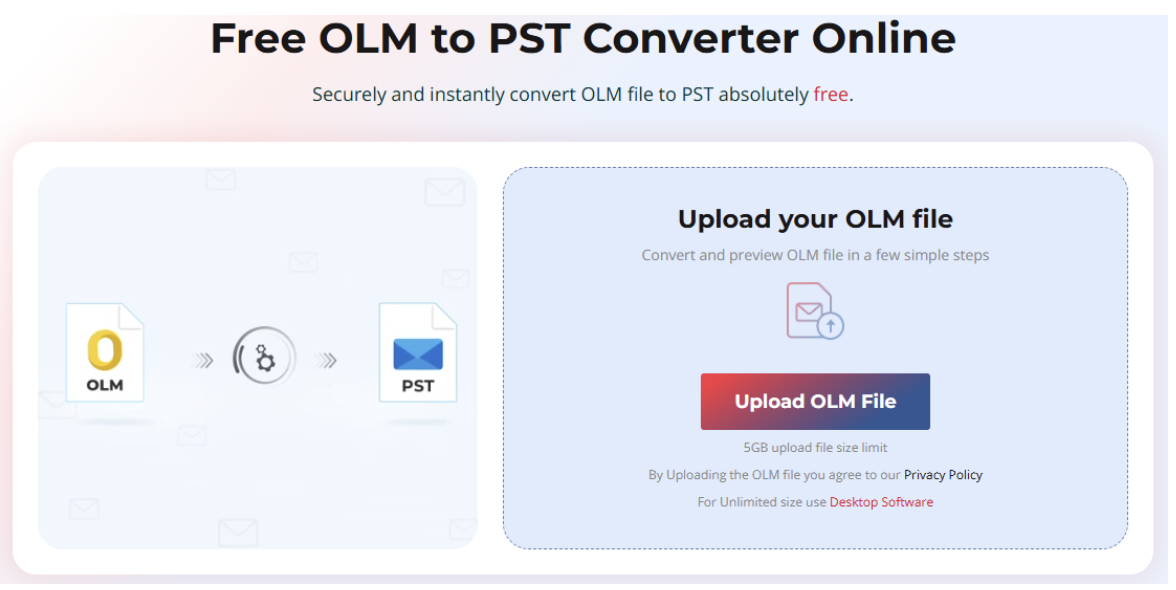
- The Open window will appear. Locate and select the OLM file you want to convert. Click on Open.
- Once the file is uploaded, you will see the status updated to File Uploaded. Click on Start Conversion.
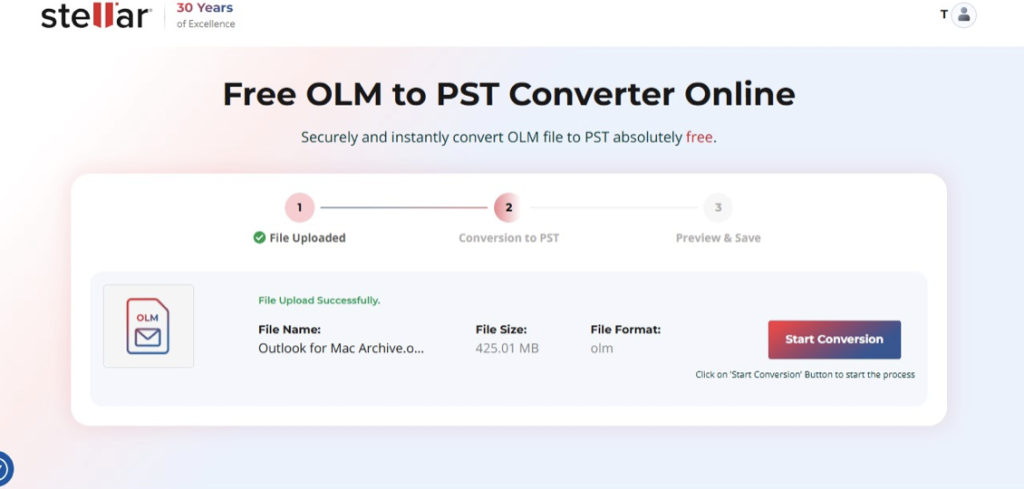
- The tool will first analyze the selected OLM file and automatically convert it afterward.
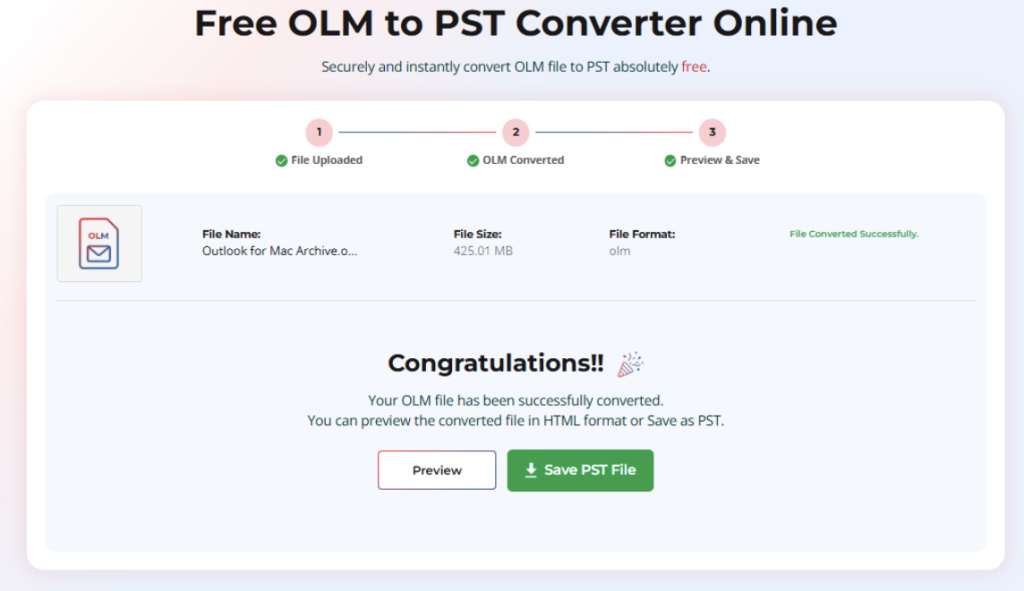
- Once the selected OLM file is converted to PST format, the File Converted Successfully window will appear.
- You will see two buttons to choose from.
- Preview: This option will generate a downloadable HTML file containing the mailbox preview.
- Save PST File: This will download the converted OLM file as PST file on your system.
After converting the selected file/s, you have two options – backup the PST files to another device or cloud, or import them into Windows Outlook using the Import/Export wizard.
With the free online OLM to PST converter tool, you can easily convert a single OLM file of size not greater than 100 MB to PST. But if you have more OLM files, you can upgrade to the Premium edition of this utility as well. It lets you convert 5 OLM files of size ≤ 5 GB.
Conclusion
There is no direct way to import an OLM file in the classic Outlook application or open an OLM without Outlook for Mac on a Windows PC. The only way is to convert it to a suitable file format, i:e. .pst file format. And for this, you can use Stellar’s free online OLM to PST tool. It conveniently converts an Outlook for Mac data file to PST format for free.
Want to convert multiple OLM files of different sizes or export them to Outlook? You can opt for the desktop application – Stellar Converter for OLM. And not just PST, it also saves mailbox items to other file formats like MSG and EML, and supports OLM files created from Outlook for Mac 2011, 2016, 2019, and 2021.